

Creative Direction
Visual references for commercial API workflows
These stills come from external IMA creative assets and are used here as art direction reference for image-led or campaign-style motion workflows.
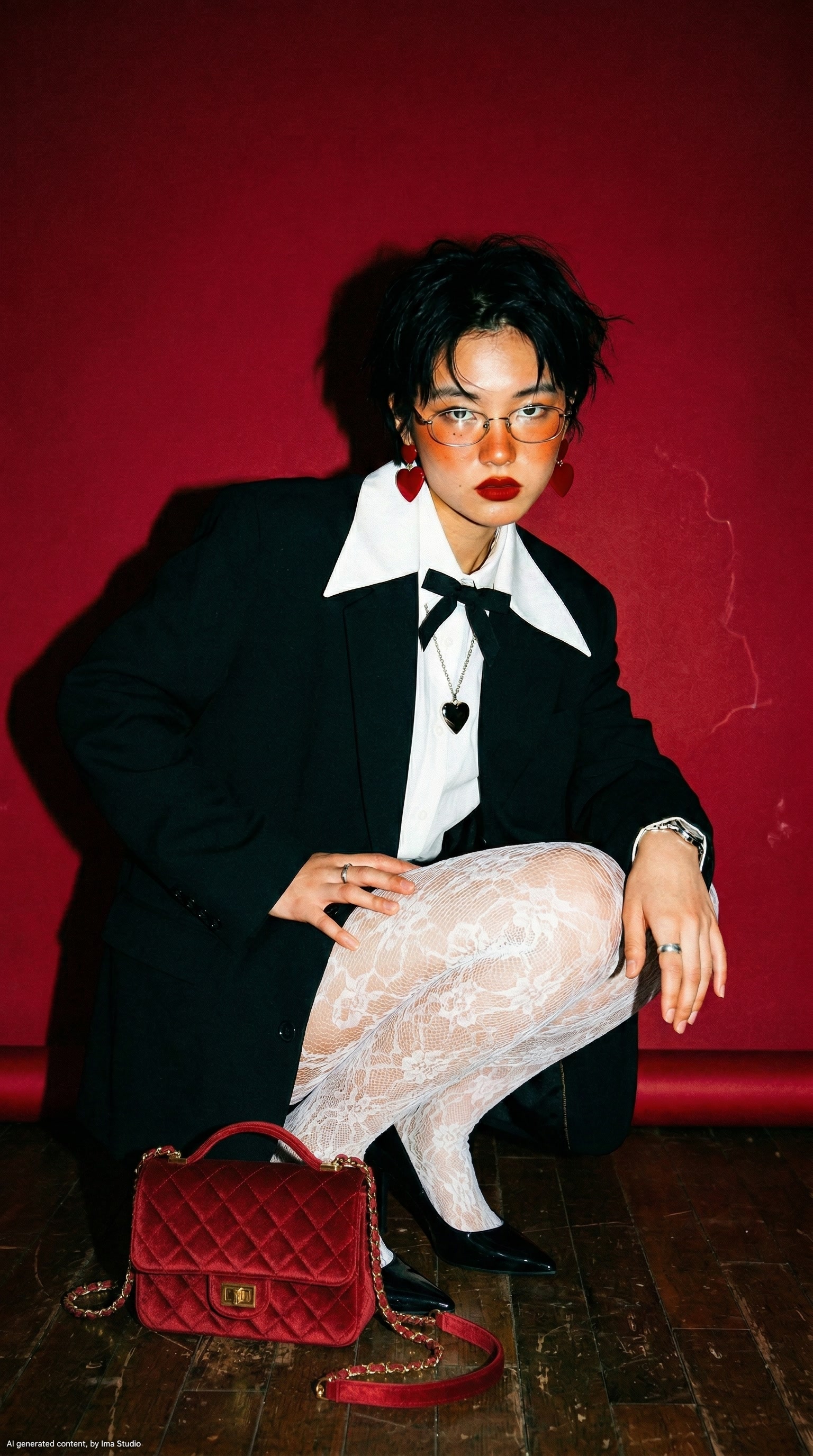
Character Reference
Fashion Editorial Frame
A strong character-led still that works well for prompt-plus-reference video workflows where styling, posture, and camera language all need to stay readable.

Lifestyle Sequence
Warm Daily-Motion Scene
A softer lifestyle composition that maps well to character storytelling, social content, and human-centered product demos with more natural motion than a static hero shot.
Available Endpoints
Start building with the Happy Horse 1.0 API
Multiple endpoints for text-to-video, image-to-video, fast preview flows, and async job retrieval. This section is laid out more like a product catalog than raw docs so users can scan what to use first.
Endpoint
Text-to-Video Task
/v1/videos
Create a Happy Horse 1.0 text-to-video task through ImaRouter's unified video endpoint by setting the model to happyhorse-1.0-t2v.
Best for: Use this for prompt-led short-form scenes when users need a fresh clip from creative direction without providing a starting frame.
Endpoint
Image-to-Video Task
/v1/videos
Create a Happy Horse 1.0 image-to-video task through the same unified endpoint by setting the model to happyhorse-1.0-i2v and attaching a source image.
Best for: Useful for creator tools, brand characters, ecommerce lifestyle scenes, and any workflow where the input frame already matters.
Endpoint
Task Status
/v1/videos/{task_id}
Poll a submitted Happy Horse task until the render completes, fails, or returns a downloadable output URL.
Best for: Needed for production apps that queue requests, show rendering progress, or persist completed outputs later in the workflow.
Get started today
Ready to integrate Happy Horse 1.0?
Try the API directly in the console, or reach out to the team for onboarding, pricing, and enterprise setup.
API Documentation
How to get access to Happy Horse 1.0 API
Happy Horse follows the same unified media API pattern used in the docs: submit a task to /v1/videos with the correct model name, keep the returned task id, then poll /v1/videos/{task_id} until the result is ready.
const apiKey = process.env.IMAROUTER_API_KEY;

async function createHappyHorseClip() {
  const createResponse = await fetch("https://api.imarouter.com/v1/videos", {
    method: "POST",
    headers: {
      "Authorization": `Bearer ${apiKey}`,
      "Content-Type": "application/json"
    },
    body: JSON.stringify({
      model: "happyhorse-1.0-t2v",
      prompt: "Character-led lifestyle scene, natural body motion, confident pacing, warm cinematic lighting, subtle camera drift",
      duration: 6,
      resolution: "1080p",
      aspect_ratio: "16:9"
    })
  });

  const task = await createResponse.json();

  let status = "queued";
  while (status !== "completed") {
    await new Promise((resolve) => setTimeout(resolve, 3000));

    const statusResponse = await fetch(`https://api.imarouter.com/v1/videos/${task.task_id}`, {
      headers: {
        "Authorization": `Bearer ${apiKey}`
      }
    });

    const taskState = await statusResponse.json();
    status = taskState.status;

    if (status === "failed") {
      throw new Error(taskState.error ?? "Happy Horse generation failed");
    }

    if (status === "completed") {
      return taskState.video?.url ?? taskState.output?.[0]?.url;
    }
  }
}
Async flow
- 1
Submit a video task to /v1/videos with model set to happyhorse-1.0-t2v or happyhorse-1.0-i2v.
- 2
Store the returned task id in your backend or hand it back to the frontend for progress tracking.
- 3
Poll /v1/videos/{task_id} until the task is completed or failed.
- 4
When the task completes, save the returned output URL in your own application state and analytics flow.
What Makes It Different
What makes the Happy Horse 1.0 API different
This section is laid out to read more like a product narrative than a feature list. Each row shows a capability, why it matters, and what that looks like in a real workflow.
Character-first motion quality
That makes it easier to productize creator, lifestyle, and spokesperson workflows without every clip feeling like a rough prototype.
Capability
Character-first motion quality
Happy Horse is a good fit when the generated clip needs readable body language, expressive timing, and more believable human-centered motion than a generic scene generator.
That makes it easier to productize creator, lifestyle, and spokesperson workflows without every clip feeling like a rough prototype.
Example scenario
A short-form creator app lets users turn one prompt into a polished character-led clip for paid social or organic content.
Capability
Reference-guided continuity
Image-led generation helps teams preserve identity, framing, wardrobe, and overall visual direction more tightly than prompt-only workflows.
This reduces wasted generations when teams already know what the character, scene, or brand styling should look like.
Example scenario
A brand uploads a campaign still and asks the product to generate several motion variants without drifting away from the approved look.
Reference-guided continuity
This reduces wasted generations when teams already know what the character, scene, or brand styling should look like.
Cleaner compositing for polished output
Developers can ship a model option that feels more credible for external-facing ads, explainers, and customer-visible experiences.
Capability
Cleaner compositing for polished output
Some teams care less about surreal novelty and more about whether the final shot feels production-usable. Happy Horse is positioned well for that balance.
Developers can ship a model option that feels more credible for external-facing ads, explainers, and customer-visible experiences.
Example scenario
An internal creative tool is used by a growth team that needs publishable first-pass outputs rather than purely experimental motion tests.
Capability
Standard async integration path
The API fits the same job-based flow used across the rest of ImaRouter's video stack: submit, poll, retrieve, and store the finished result.
That keeps implementation consistent even if the product later adds other video models for fallback or price-performance routing.
Example scenario
A product team adds Happy Horse alongside Seedance and Kling without reworking its backend queueing or job tracking logic.
Standard async integration path
That keeps implementation consistent even if the product later adds other video models for fallback or price-performance routing.
Use Cases
Industries using the Happy Horse 1.0 API
This section keeps the same reusable data model, but the presentation is closer to a grid of industry cards instead of long narrative boxes.
Creator platforms and social video products
Creator and short-form apps
Offer prompt-to-video and image-to-video generation for clips that need stronger character readability and cleaner pacing.
Happy Horse is a sensible choice when users care about presentable motion rather than just seeing any movement at all.
Brand, growth, and paid media teams
Lifestyle and fashion campaigns
Turn approved stills or campaign concepts into motion variants for ads, landing pages, and creative reviews.
Reference-led workflows help keep styling and subject identity more stable across multiple generations.
Ecommerce teams and creative operations
Product storytelling with people
Generate scenes where a person interacts with the product naturally instead of showing only static hero packshots.
This is useful when the final output needs product context and human motion together in one short-form clip.
Product marketers and internal demo teams
AI spokesperson experiments
Prototype short presenter-style clips for internal walkthroughs, campaign concepts, or onboarding content.
Character-led motion is more valuable than abstract cinematic output for teams testing human-centered communication formats.
Agencies and growth studios
Story-first ad generation
Generate multiple short story beats from a single brief, then keep the best direction for further extension or export.
Happy Horse helps when you want a more usable first pass for narrative ad concepts without a custom animation pipeline.
Platform teams and AI product builders
Model-routing video stacks
Expose Happy Horse as one model option inside a broader routed video product that also includes Seedance, Kling, or Wan.
A unified async integration path makes it straightforward to add or swap models based on cost, latency, or creative fit.
Examples
Happy Horse 1.0 API examples
Prompt directions paired with visual reference frames. Use them as inspiration for landing pages, creator tooling, commercial mockups, or API playground defaults.
Editorial character motion
Styled motion with human readability
A useful direction for fashion, beauty, and premium brand content where the person and styling need to remain the center of the shot.
High-fashion portrait sequence, precise pose shifts, soft side light, natural hair motion, measured camera drift, premium editorial pacing
Warm lifestyle walkthrough
Natural creator-style motion
Useful for lifestyle, home, creator, and onboarding scenarios where the clip should feel grounded rather than overly synthetic.
Cozy lifestyle scene, natural walking pace, morning light through windows, candid body language, clean residential framing, subtle handheld realism
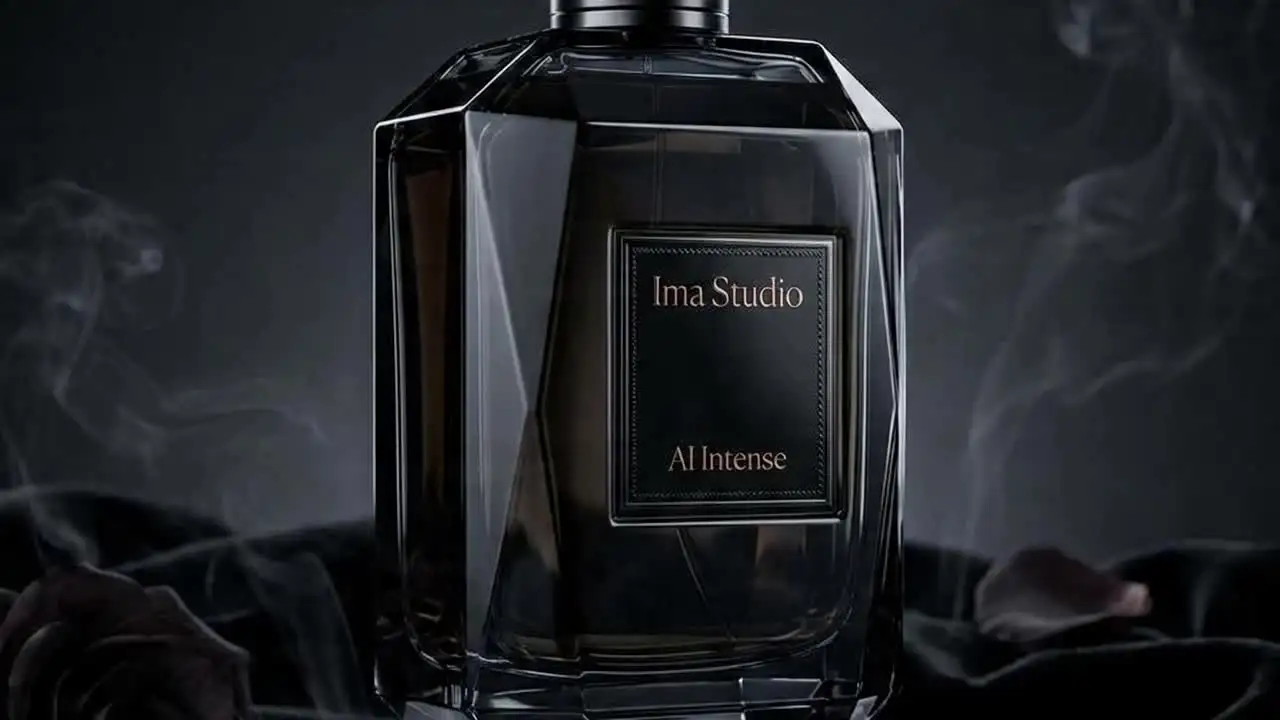
Atmospheric character reveal
Story-first scene setup
A good direction for teaser campaigns, narrative products, and product intros that need more dramatic pacing without losing subject clarity.
Cinematic scene introduction, low-key lighting, character enters frame with calm confidence, shallow depth of field, deliberate camera move, polished mood
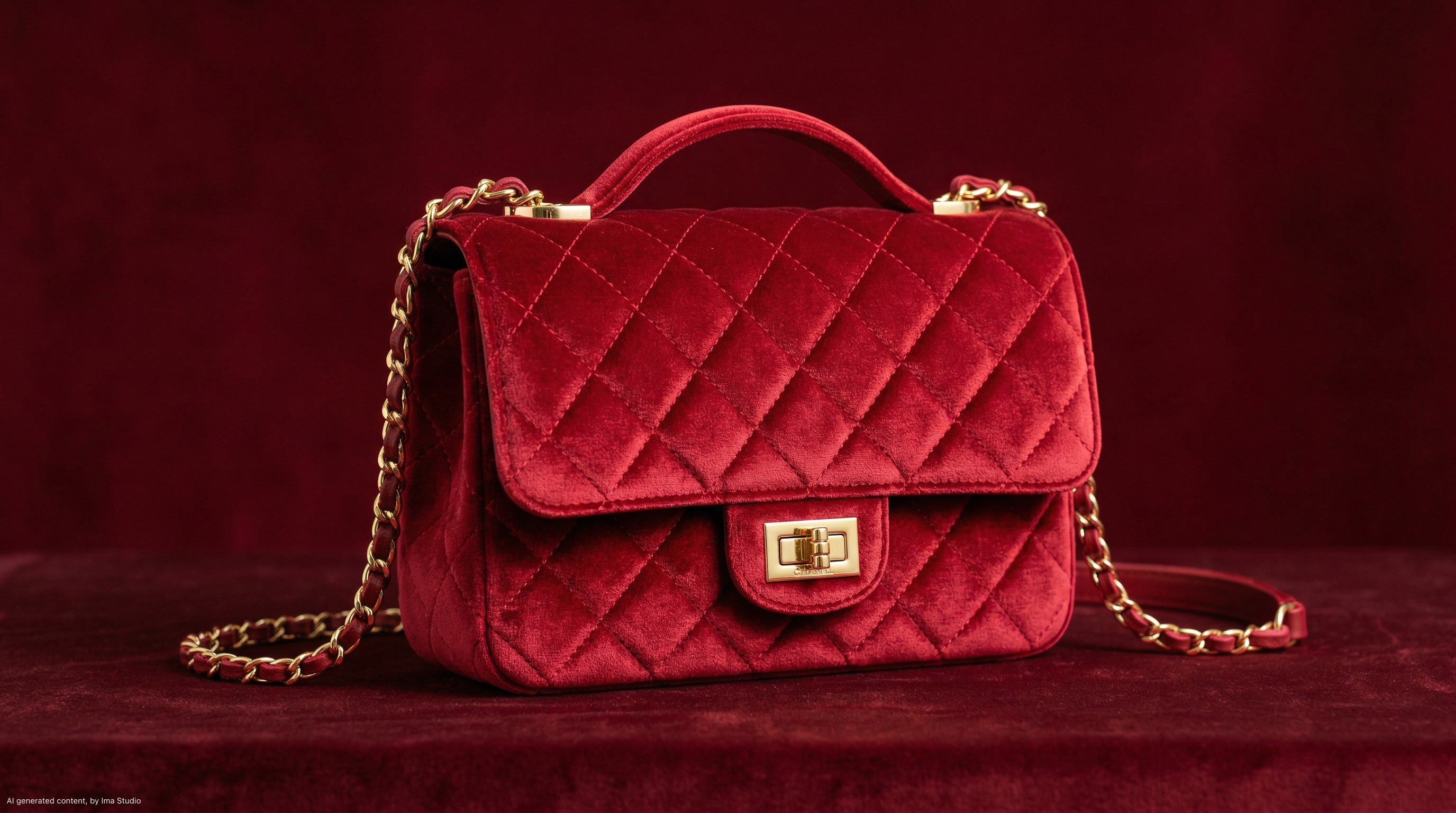
Bag and accessories campaign
Product plus person composition
This works when the output needs both human presence and clear product attention instead of treating the item and the character as separate workflows.
Luxury accessories hero shot with a model, polished posture transitions, rich studio color, controlled hand motion, premium campaign framing
How To Use This API
How to use Happy Horse 1.0 API
This quick-start walkthrough is written to rank for integration-style searches while staying concise enough for busy developers and operators.
- 1
Create your ImaRouter account
Start with an ImaRouter account so you can move from testing to production without changing platforms later.
- 2
Generate a server-side API key
Create a secure API key for your backend and store it in your deployment environment.
- 3
Choose prompt-led or reference-led generation
Decide whether the request should start from text alone or from an approved reference frame that needs motion.
- 4
Submit the video generation job
Send the prompt and model choice to the unified /v1/videos endpoint, adding an image when the workflow starts from a reference frame.
- 5
Poll status and persist the result
Use the returned task id to monitor rendering at /v1/videos/{task_id}, then save or deliver the completed output URL when the task finishes.
FAQ
Frequently asked questions about Happy Horse 1.0 API
FAQs stay compact and skimmable here. The content is still data-driven for SEO, but the layout is cleaner and less visually heavy.
What is Happy Horse 1.0 API?
Happy Horse 1.0 API is a programmable video generation interface for text-to-video and image-to-video workflows, especially useful when teams want stronger character readability and cleaner short-form motion.
Does Happy Horse support image-to-video?
Yes. Happy Horse fits reference-led image-to-video workflows, which is useful when the source frame, subject identity, or styling already matters before generation begins.
What kind of projects is Happy Horse good for?
It is a strong fit for creator tools, fashion and lifestyle campaigns, product storytelling with people, social video apps, and any product that benefits from more human-centered motion.
How does the API return results?
The workflow is asynchronous: submit a task to /v1/videos, store the task id, poll /v1/videos/{task_id}, and then retrieve the final output URL once the task completes.
Can I use reference images for continuity?
Yes. Reference-led generation is one of the main reasons to use this type of video model when styling, framing, or subject continuity matter.
Is Happy Horse only for cinematic ads?
No. It can also fit creator workflows, ecommerce storytelling, internal demo content, lifestyle sequences, and other short-form scenes where natural motion is more important than novelty.
How do I get started?
Create an account, generate an API key, test the workflow you want, and then integrate the async pattern into your backend or product UI.
Why use ImaRouter for Happy Horse instead of wiring providers one by one?
ImaRouter combines model routing, five-modality coverage, transparent pricing, automatic failover, and faster new-model onboarding so teams do not have to integrate and monitor providers one by one.
Model Directory
Browse the full model market before you choose your route.
Use the `/models` catalog to scan providers, modalities, reasoning support, context windows, and pricing metadata from a local OpenRouter snapshot. It is the fastest way to compare what exists before you decide which models should be prioritized on ImaRouter.
Get Started
Add Happy Horse 1.0 to your product without building a custom video pipeline
Use one integration path for prompt-led scenes, reference-guided motion, and routed video expansion later on. Use one API surface for 200+ models across five modalities, with transparent routing, automatic failover, and fast new-model onboarding.