

Creative Direction
Visual references for image-led video workflows
Selected frames and stills that help explain how source images, reference material, and finished outputs can shape a Happy Horse video workflow.
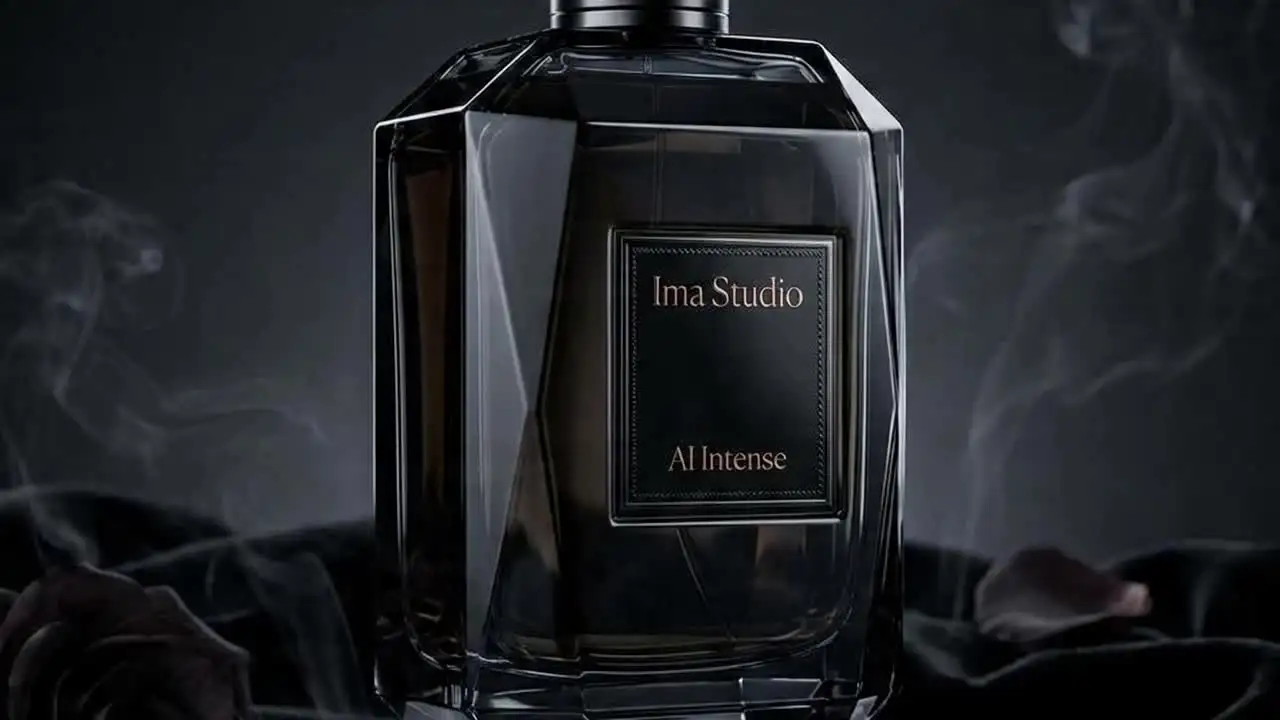
Text-to-Video Direction
Cinematic Atmosphere
A cinematic environment like this is useful for PixVerse prompt writing because the prompt needs to describe mood, motion, lighting, and shot behavior clearly instead of relying on generic style tags.
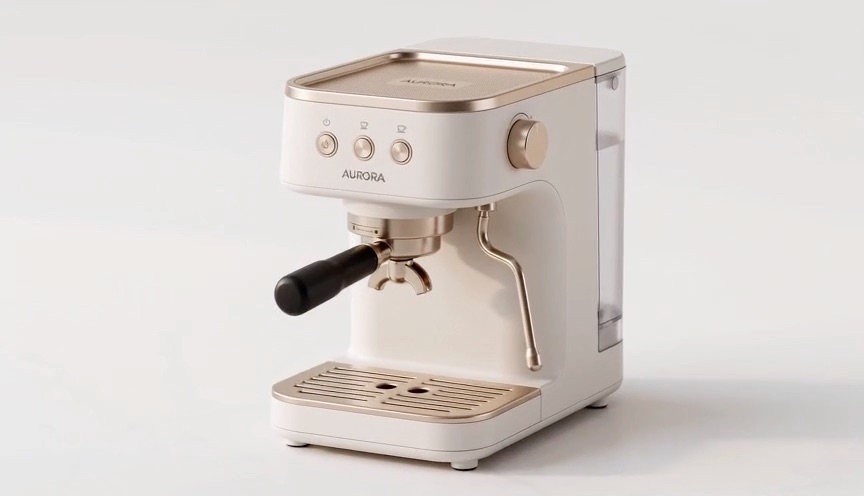
Image-Guided Start
Structured First Visual
PixVerse image-to-video on ImaRouter uses metadata.img_id for the uploaded image path. A clean starting visual like this is ideal when the first composition should drive the motion instead of letting the model improvise from text alone.
Available Endpoints
Start building with the PixVerse API
Multiple endpoints for text-to-video, image-to-video, fast preview flows, and async job retrieval. This section is laid out more like a product catalog than raw docs so users can scan what to use first.
Endpoint
Text-to-Video Task
/v1/videos
Create a PixVerse task by setting model to pixverse-c1 or pixverse-v6, then submitting prompt, duration, quality, and aspect ratio.
Best for: Use this for prompt-led commercial concepts, character scenes, product motion tests, and short cinematic clips without an uploaded image input.
Endpoint
Image-to-Video Task
/v1/videos
Create a PixVerse image-guided task by passing an uploaded-image id through metadata.img_id along with the prompt and duration fields.
Best for: Useful when you want the output to start from a pre-approved visual or uploaded source frame instead of relying only on prompt interpretation.
Endpoint
Task Status
/v1/videos/{task_id}
Poll a PixVerse task until it reaches completed, then read the hosted video URL from the task metadata returned by the public API.
Best for: Needed for production apps that surface progress states, persist completed outputs, and keep hosted result URLs out of temporary client memory.
Get started today
Ready to integrate PixVerse?
Try the API directly in the console, or reach out to the team for onboarding, pricing, and enterprise setup.
API Documentation
How to get access to PixVerse API
PixVerse on ImaRouter follows the same async public media pattern as the other OpenAI-style video pages: submit on /v1/videos with the correct model and PixVerse fields, then poll /v1/videos/{task_id} until the result is ready.
const apiKey = process.env.IMAROUTER_API_KEY;

async function createPixVerseVideo() {
  const createResponse = await fetch("https://api.imarouter.com/v1/videos", {
    method: "POST",
    headers: {
      "Authorization": `Bearer ${apiKey}`,
      "Content-Type": "application/json"
    },
    body: JSON.stringify({
      model: "pixverse-c1",
      prompt: "A jazz singer performs on a rainy neon street with ambient crowd noise and a slow cinematic camera move",
      duration: 8,
      quality: "540p",
      size: "16:9",
      metadata: {
        audio: true
      }
    })
  });

  const task = await createResponse.json();

  let status = "";
  while (status !== "completed") {
    await new Promise((resolve) => setTimeout(resolve, 3000));

    const statusResponse = await fetch(`https://api.imarouter.com/v1/videos/${task.task_id ?? task.id}`, {
      headers: {
        "Authorization": `Bearer ${apiKey}`
      }
    });

    const taskState = await statusResponse.json();
    status = taskState.status;

    if (status === "failed") {
      throw new Error(taskState.error ?? "PixVerse generation failed");
    }

    if (status === "completed") {
      return taskState.metadata?.url ?? taskState.video?.url ?? taskState.output?.[0]?.url;
    }
  }
}
Async flow
- 1
Choose pixverse-c1 or pixverse-v6 based on the model tier you want to expose in the product.
- 2
Submit the task to /v1/videos with prompt, duration, quality, size, and metadata.audio or metadata.img_id when needed.
- 3
Store the returned task id in your backend or pass it to the frontend for task-state polling.
- 4
Poll /v1/videos/{task_id} until the task completes, then persist the hosted output URL in your own storage flow.
What Makes It Different
What makes the PixVerse API different
This section is laid out to read more like a product narrative than a feature list. Each row shows a capability, why it matters, and what that looks like in a real workflow.
Current PixVerse models in one public API
That keeps the product surface smaller and makes model choice easier for developers who care about the current generation path, not the whole history of PixVerse naming.
Capability
Current PixVerse models in one public API
The public docs expose pixverse-c1 and pixverse-v6 as the current supported PixVerse models rather than making you integrate several old model branches.
That keeps the product surface smaller and makes model choice easier for developers who care about the current generation path, not the whole history of PixVerse naming.
Example scenario
A video tool exposes only two current PixVerse choices instead of confusing users with several stale model versions.
Capability
Prompt-first and uploaded-image workflows
PixVerse on ImaRouter supports both text-to-video and image-guided video. The image-guided path uses metadata.img_id instead of a separate provider-native endpoint shape.
Teams can keep one backend task model while still offering more controlled starts when the source visual already matters.
Example scenario
A marketing workflow uploads a hero image once, stores the img_id, and then launches several guided motion variants from that base.
Prompt-first and uploaded-image workflows
Teams can keep one backend task model while still offering more controlled starts when the source visual already matters.
Quality and aspect ratio are explicit
That makes request validation and UI design clearer than blending resolution and aspect ratio into one ambiguous field.
Capability
Quality and aspect ratio are explicit
The docs separate quality from aspect ratio: quality controls the 360p to 1080p tier, while size carries the aspect ratio like 16:9 or 9:16.
That makes request validation and UI design clearer than blending resolution and aspect ratio into one ambiguous field.
Example scenario
A frontend lets users choose portrait 9:16 at 540p for social testing, then reruns the same concept at 1080p for final export.
Capability
Audio is a clean external toggle
metadata.audio is documented as an external switch that the server maps to PixVerse official audio parameters for the downstream channel.
You can expose a simple yes/no audio control in the product without leaking provider-specific internals into your public API.
Example scenario
A social video generator enables audio on narrative clips but disables it on brand-safe silent exports with the same task flow.
Audio is a clean external toggle
You can expose a simple yes/no audio control in the product without leaking provider-specific internals into your public API.
Unified API Platform
Two API tiers for different use cases
Pick the right balance of quality, speed, and cost for your workflow. The section stays data-driven, but the presentation is closer to a clean product comparison table.
| Feature | pixverse-c1Recommended | pixverse-v6 |
|---|---|---|
| Best for | Current C1 generation workflows | Current V6 generation runs |
| Speed | Async task flow | Async task flow |
| Quality | Flexible from 360p to 1080p | Flexible from 360p to 1080p |
| Cost | Dynamic per-second billing | Dynamic per-second billing |
| Recommended use | Use C1 when you want a current PixVerse path with flexible quality and optional audio control. | Use V6 when you want the V6 PixVerse path under the same public task surface. |
| API endpoints | /v1/videos | /v1/videos, /v1/videos/{task_id} |
Use Cases
Industries using the PixVerse API
This section keeps the same reusable data model, but the presentation is closer to a grid of industry cards instead of long narrative boxes.
Creator platforms and social video apps
Short-form social video generation
Generate prompt-led clips in multiple aspect ratios and quality tiers without rebuilding the backend for every orientation.
PixVerse is useful here because aspect ratio and quality are explicit and fit short-form distribution workflows cleanly.
Brand teams and campaign builders
Uploaded-image motion variants
Upload a hero image once, then use metadata.img_id to generate several motion variants from that approved visual.
This is practical when the visual start state already matters more than prompt-only invention.
Growth teams and ad creators
Audio-aware promo clips
Toggle audio on or off depending on whether the clip is meant for ambient social storytelling or silent preview review.
The documented metadata.audio switch makes this a clean product-level control instead of a custom vendor-specific branch.
Creative ops and internal tools
Resolution-aware testing loops
Run lower-quality iterations first, then rerender at higher quality once the concept and motion direction are approved.
PixVerse exposes 360p to 1080p quality tiers directly, which makes staged review workflows easier to implement.
Platform teams and multimodel builders
OpenAI-style multimodel video stacks
Add PixVerse beside Hailuo, Wan, Seedance, or Happy Horse without changing the public task submission pattern in your product.
The value is consistency: one /v1/videos task flow, multiple routed or provider-backed models behind it.
Mobile-first products and UGC apps
Vertical creative production
Generate 9:16 content directly instead of cropping widescreen output after the fact.
The public PixVerse request shape carries aspect ratio explicitly, which helps mobile-first teams stay intentional from the start.
Examples
PixVerse API examples
Prompt directions paired with visual reference frames. Use them as inspiration for landing pages, creator tooling, commercial mockups, or API playground defaults.
Rainy neon singer performance
Audio-aware urban performance
A good PixVerse prompt spells out not just the subject but also the motion language, sound expectation, and scene atmosphere.
A jazz singer performs on a rainy neon street with ambient crowd noise, slow cinematic camera drift, reflective puddles, and a moody blue-magenta palette

Garden breeze image-guided clip
Uploaded-image motion
A practical image-guided PixVerse use case where the uploaded image establishes the composition and the motion stays light and believable.
A gentle breeze moving the flowers, shallow depth of field, soft natural light, subtle handheld motion, calm organic pacing
Sunrise drone reveal
Wide cinematic motion
This kind of prompt is useful for widescreen scenic motion where the main job is atmosphere, gentle movement, and clean progression.
A cinematic drone shot above a quiet lake at sunrise, mist lifting from the water, measured forward movement, soft golden light, calm premium pacing

Vertical product teaser
9:16 product short
Useful when the output is meant for mobile-first placements and the framing should be designed vertically from the start.
Luxury skincare teaser for mobile, vertical framing, soft macro camera drift, subtle reflections, premium clean-room lighting, launch-day pacing
How To Use This API
How to use PixVerse API
This quick-start walkthrough is written to rank for integration-style searches while staying concise enough for busy developers and operators.
- 1
Choose the PixVerse model
Pick pixverse-c1 or pixverse-v6 depending on the model tier you want to expose in the product.
- 2
Set quality and aspect ratio separately
Use quality for the 360p to 1080p output tier and size for the aspect ratio, such as 16:9, 9:16, or 1:1.
- 3
Decide between prompt-only and uploaded-image mode
Use plain prompt generation for text-to-video or pass metadata.img_id when you need the run to start from an uploaded image.
- 4
Toggle audio only when needed
Set metadata.audio when the workflow should generate audio, and leave it off when the output should stay silent.
- 5
Poll and persist the result
Use the returned task id to poll /v1/videos/{task_id}, then download or archive the hosted output URL once the task finishes.
FAQ
Frequently asked questions about PixVerse API
FAQs stay compact and skimmable here. The content is still data-driven for SEO, but the layout is cleaner and less visually heavy.
What is PixVerse API?
PixVerse API on ImaRouter is the public async video task interface for current PixVerse models including pixverse-c1 and pixverse-v6.
Which PixVerse models are supported?
The current public docs list pixverse-c1 and pixverse-v6 as the supported current PixVerse models on the unified video task endpoint.
Does PixVerse support image-to-video?
Yes. The public request shape supports image-guided video through metadata.img_id for uploaded-image workflows.
What endpoint does PixVerse use in ImaRouter?
PixVerse uses the same public video task flow as the other OpenAI-style media pages: submit on /v1/videos and poll on /v1/videos/{task_id}.
How do quality and aspect ratio work?
Quality controls the resolution tier, such as 360p, 540p, 720p, and 1080p, while size carries the aspect ratio such as 16:9, 9:16, or 1:1.
How do I enable audio?
Use metadata.audio in the request body. The server maps that external switch to the corresponding PixVerse audio setting on the downstream channel.
How do I get the final video URL?
Poll /v1/videos/{task_id} until the task reaches completed, then read the hosted video URL from the completed task payload.
Why use ImaRouter for PixVerse instead of wiring providers one by one?
ImaRouter combines model routing, five-modality coverage, transparent pricing, automatic failover, and faster new-model onboarding so teams do not have to integrate and monitor providers one by one.
Model Directory
Browse the full model market before you choose your route.
Use the `/models` catalog to scan providers, modalities, reasoning support, context windows, and pricing metadata from a local OpenRouter snapshot. It is the fastest way to compare what exists before you decide which models should be prioritized on ImaRouter.
Get Started
Add PixVerse to your product without building a custom provider task layer
Use one /v1/videos task flow for PixVerse C1 and PixVerse V6, then expand the same pattern across the rest of your routed video stack. Use one API surface for 80+ models across five modalities, with transparent routing, automatic failover, and fast new-model onboarding.