

Available Endpoints
Start building with the Nano Banana Pro API
Multiple endpoints for text-to-video, image-to-video, fast preview flows, and async job retrieval. This section is laid out more like a product catalog than raw docs so users can scan what to use first.
Endpoint
Image Edit
/v1/image/nano-banana-pro/edit
Edit one or more images with prompt-driven semantic changes, composition-aware transforms, and ImaRouter-managed output handling.
Best for: Use this for preserve-and-change workflows, relighting, object replacement, cleanup, and natural-language image revisions.
Endpoint
Multi-Image Composition
/v1/image/nano-banana-pro/compose
Blend multiple source images into one result with prompt-driven composition, style transfer, and context-aware editing.
Best for: Best for interior staging, product insertion, style blending, and any workflow where one output depends on several references at once.
Endpoint
Localization Edit
/v1/image/nano-banana-pro/localize
Update or translate in-image text while preserving scene layout, visual balance, and surrounding composition.
Best for: Use this for international campaign rollouts, packaging variants, poster updates, and UI mockups with localized copy.
Endpoint
Job Status
/v1/jobs/{jobId}
Track whether an image edit or composition job is queued, running, completed, or failed in ImaRouter's async workflow.
Best for: Needed for production applications that submit asynchronous edits, show progress, or retrieve final assets after the job finishes.
Get started today
Ready to integrate Nano Banana Pro?
Try the API directly in the console, or reach out to the team for onboarding, pricing, and enterprise setup.
API Documentation
How to get access to Nano Banana Pro API
Nano Banana Pro on ImaRouter follows the same pattern as the other model pages: submit the edit or composition request, keep the job id, and fetch the result once the image is ready.
const apiKey = process.env.IMAROUTER_API_KEY;

async function createNanoBananaEdit() {
  const createResponse = await fetch("https://api.imarouter.com/v1/image/nano-banana-pro/compose", {
    method: "POST",
    headers: {
      "Authorization": `Bearer ${apiKey}`,
      "Content-Type": "application/json"
    },
    body: JSON.stringify({
      prompt: "Place the sofa from image 2 into image 1 and blend the shadows, perspective, and room lighting naturally. Keep the wall texture and floor reflection realistic.",
      images: [
        "https://example.com/room.jpg",
        "https://example.com/sofa.png"
      ],
      aspectRatio: "4:3",
      resolution: "2K",
      outputFormat: "png"
    })
  });

  const job = await createResponse.json();

  let status = "queued";
  while (status !== "completed") {
    await new Promise((resolve) => setTimeout(resolve, 3000));

    const statusResponse = await fetch(`https://api.imarouter.com/v1/jobs/${job.id}`, {
      headers: {
        "Authorization": `Bearer ${apiKey}`
      }
    });

    const jobState = await statusResponse.json();
    status = jobState.status;

    if (status === "failed") {
      throw new Error(jobState.error ?? "Nano Banana Pro edit failed");
    }

    if (status === "completed") {
      return jobState.output[0].url;
    }
  }
}
Async flow
- 1
Choose whether the request is a direct edit, multi-image composition, or text-localization workflow.
- 2
Send your prompt together with one or more source image URLs, then set resolution, aspect ratio, and output format based on your delivery target.
- 3
Store the returned job id and poll the job endpoint until the image is ready.
- 4
Read the output URL or image payload, then move the finished asset into your own review, storage, localization, or publishing flow.
What Makes It Different
What makes the Nano Banana Pro API different
This section is laid out to read more like a product narrative than a feature list. Each row shows a capability, why it matters, and what that looks like in a real workflow.
Capability
Semantic editing without masks
Nano Banana Pro is built to understand what your prompt means in the context of the scene instead of forcing manual selection-heavy workflows.
That makes instructions like changing materials, relighting a scene, moving one product into another environment, or swapping outfits much easier to express in plain language.
Example scenario
A creative team says 'keep the model, keep the pose, replace the set with a premium studio stage, and make the dress velvet' without building a manual mask stack.
Capability
Multi-image composition
The model supports up to 14 input images, which is useful when you need one result informed by several references at once.
You can blend subject images, style frames, room references, product renders, and target aesthetics into one more controlled output.
Example scenario
A furniture workflow combines the base room, a sofa cutout, and a lighting reference to create one realistic in-context product visual.

Capability
Text rendering and multilingual edits
Nano Banana Pro is especially strong at text rendering, longer passages, and multilingual on-image text handling.
That makes the model much more practical for packaging, banners, UI mockups, posters, educational visuals, and localized campaign assets.
Example scenario
A growth team updates a global ad set by preserving the scene while translating the in-image headline into Portuguese or Japanese.
Capability
Quality-first 4K workflows
The model is positioned as quality-first rather than speed-first, with 1K, 2K, and 4K outputs depending on the provider.
It is better suited for premium campaign edits, product stills, and client-facing design work where fidelity matters more than low-latency iteration.
Example scenario
A brand team uses 1K or 2K for review rounds, then reruns the approved edit at 4K for final campaign delivery.
Unified API Platform
Two API tiers for different use cases
Pick the right balance of quality, speed, and cost for your workflow. The section stays data-driven, but the presentation is closer to a clean product comparison table.
| Feature | 1K | 2KRecommended | 4K |
|---|---|---|---|
| Best for | Fastest review loops | Balanced quality and cost | Highest fidelity visual delivery |
| Speed | Fastest | Moderate | Slowest |
| Quality | Best for internal review and prompt tuning | Good for many production-facing edits | Highest detail and cleanest edges |
| Cost | Lowest published cost | Mid-tier | Highest |
| Recommended use | Early edit direction, rough comp validation, and frequent iteration | Marketing visuals, product edits, and most customer-facing image workflows | Premium product imagery, client review, polished campaign exports, and print-like compositions |
| API endpoints | /v1/image/nano-banana-pro/edit, /v1/image/nano-banana-pro/compose | /v1/image/nano-banana-pro/edit, /v1/image/nano-banana-pro/compose | /v1/image/nano-banana-pro/edit, /v1/image/nano-banana-pro/compose |
Use Cases
Industries using the Nano Banana Pro API
This section keeps the same reusable data model, but the presentation is closer to a grid of industry cards instead of long narrative boxes.
Merchandising teams and creative ops
Product photo refinement
Adjust materials, relight scenes, swap props, and refine premium product stills without rebuilding the shot from scratch.
Nano Banana Pro is especially useful when product fidelity, reflections, and text on labels need to survive the edit.
Furniture, fashion, and lifestyle brands
In-context composition
Place one object or product into another scene and let the model align perspective, shadows, and visual coherence.
This reduces the need for manual compositing or separate 3D staging in many everyday marketing workflows.
Growth teams and international marketers
Localization and text edits
Translate or replace in-image copy while preserving the rest of the creative direction and layout.
Text rendering and multilingual image editing are a practical differentiator for real campaign operations.
Agencies, creator tools, and social teams
Character-consistent ad iteration
Maintain resemblance for people across multiple edit passes while changing styling, backgrounds, lighting, or scene context.
That makes the model more usable for campaign systems that need repeated edits instead of one-off generations.
Design teams and art direction workflows
Concept art and stylization
Restyle scenes into cinematic, illustrated, game-like, or culture-specific visual treatments from natural-language prompts.
The model supports both photoreal refinement and stronger style shifts without abandoning the original composition intent.
Studios and client-facing production teams
High-fidelity review output
Move from 1K and 2K validation to 4K-style premium exports when the asset is approved.
A quality-first model is more useful when the final deliverable must hold up beyond internal prototyping.
Examples
Nano Banana Pro API examples
Prompt directions paired with visual reference frames. Use them as inspiration for landing pages, creator tooling, commercial mockups, or API playground defaults.
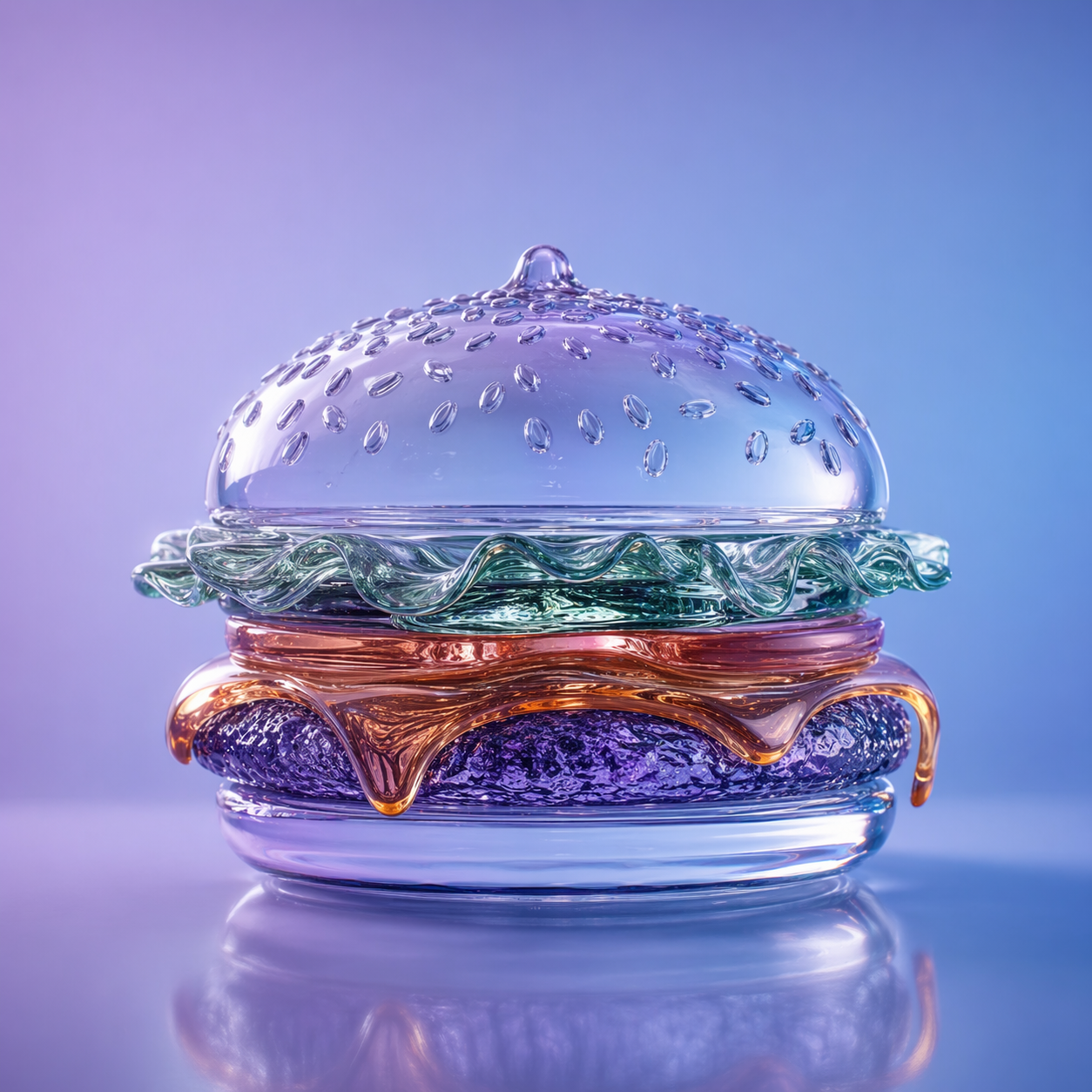
Glass hamburger transformation
Material transformation
A classic preserve-and-change edit: keep the layout, change the core material, and let the model handle lighting coherence.
Make the hamburger made of glass, keep the composition intact, preserve the soft studio lighting, and render the material as translucent with realistic refraction.
Interior product composition
Multi-image composition
This is one of the strongest use cases for Nano Banana Pro: combining references into one believable scene without heavy manual compositing.
Place the sofa from image 2 into image 1 and blend the light, shadows, color temperature, and perspective so the scene looks naturally photographed together.
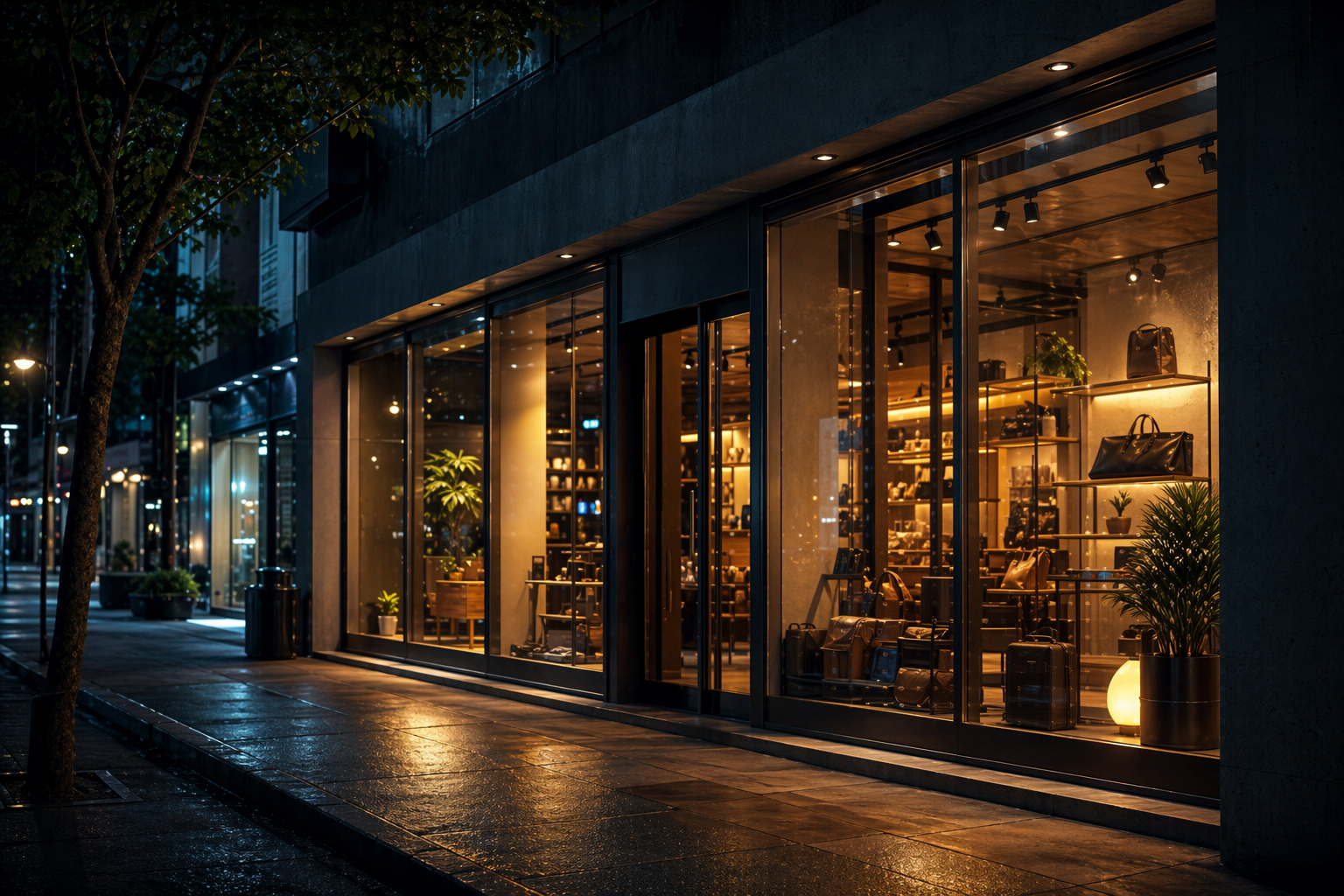
Nighttime scene conversion
Relighting
Use prompts like this when your goal is environmental transformation without changing the scene layout itself.
Turn this daytime street scene into nighttime. Preserve perspective, architecture, signage, and reflections while adding realistic street lighting and a cooler cinematic mood.
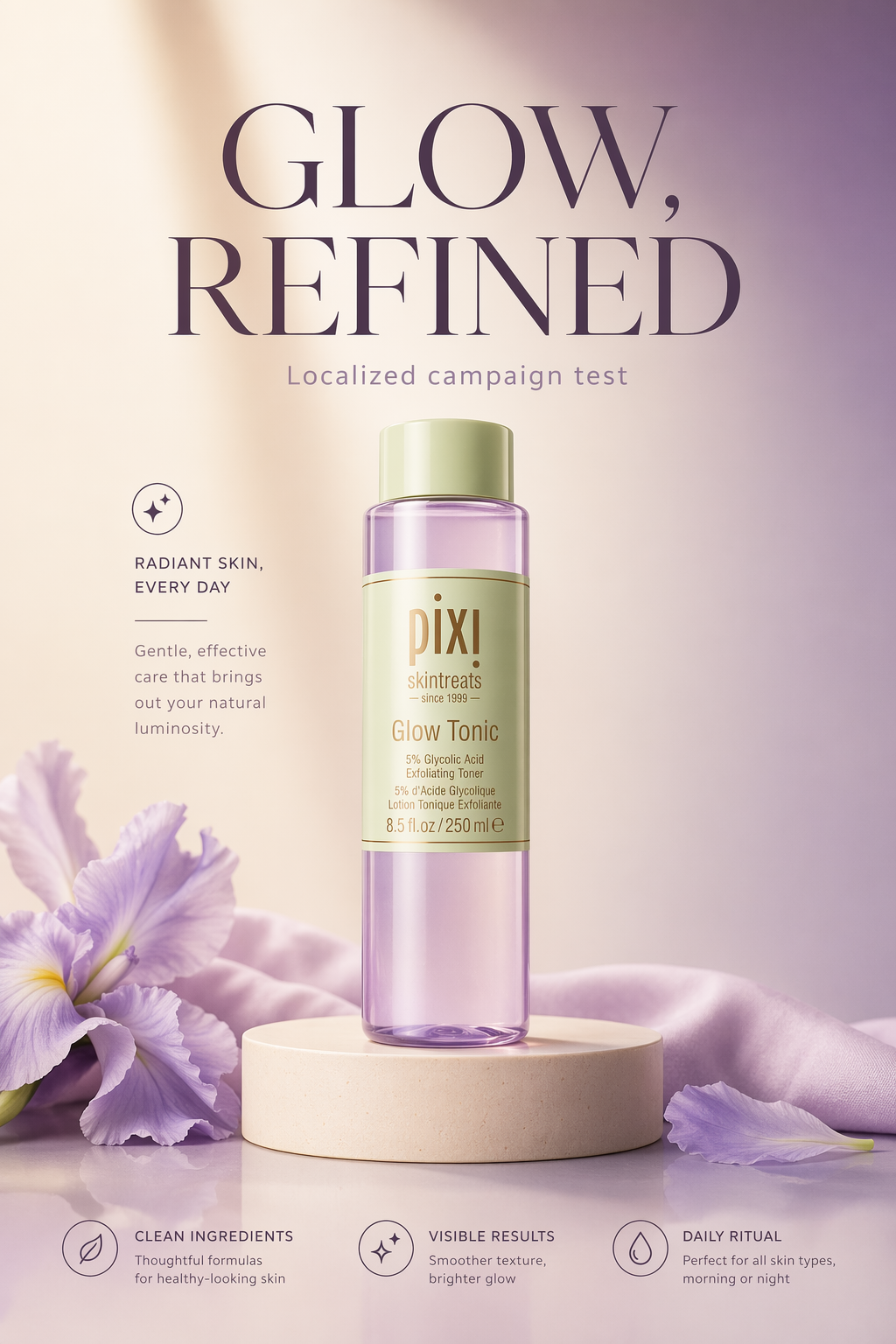
Localized ad copy update
Multilingual text edit
A practical fit for international marketing workflows where the creative should stay stable while the in-image message changes by market.
Translate the text in the image into Brazilian Portuguese while preserving the composition, hierarchy, visual balance, and overall campaign style.
How To Use This API
How to use Nano Banana Pro API
This quick-start walkthrough is written to rank for integration-style searches while staying concise enough for busy developers and operators.
- 1
Choose your provider path
Start with the ImaRouter endpoint that best matches the workflow: direct edit, multi-image composition, or text localization.
- 2
Prepare one or more image URLs
Use clean source images and gather any additional reference visuals you want the model to blend, preserve, or learn style from.
- 3
Write preserve-and-change instructions
Be explicit about what must change and what must stay untouched. Nano Banana Pro performs best when the prompt separates those two ideas clearly.
- 4
Pick resolution and aspect ratio
Use 1K or 2K for iteration, then rerun the approved edit at higher resolution when you need premium output or client delivery quality.
- 5
Review output and iterate
Once you have the first result, tighten the prompt toward finer material, lighting, text, or composition changes instead of restarting from a vague instruction.
FAQ
Frequently asked questions about Nano Banana Pro API
FAQs stay compact and skimmable here. The content is still data-driven for SEO, but the layout is cleaner and less visually heavy.
What is Nano Banana Pro API?
It is ImaRouter's programmable interface for Google's Gemini 3 Pro Image model, optimized for image editing, multi-image composition, text rendering, and quality-first visual transformations.
Is Nano Banana Pro only for editing?
Its strongest workflows are editing and composition, but the same model family is also useful for broader image-generation and visual transformation tasks.
What makes it different from the original Nano Banana?
The cited provider pages position Nano Banana Pro as the higher-quality Gemini 3 Pro Image tier, trading pure speed for stronger reasoning, sharper text rendering, richer composition control, and better character consistency.
How many images can I provide?
The workflow supports combining up to 14 images in a single composition request.
What resolutions are available?
Provider documentation references 1K, 2K, and 4K-style output tiers, with higher resolutions carrying a higher unit cost.
Does it support commercial use?
The page is designed for production and commercial workflows, but you should still review your own legal, brand, and downstream publishing requirements.
Can it preserve people or identity across edits?
The provider documentation highlights resemblance and identity preservation for up to 5 people, which makes it more useful for character-consistent marketing and editing workflows.
Which provider should I start with?
If you are integrating through ImaRouter, start with the edit or composition endpoint that best matches your workflow and keep the same async job pattern used across the other model pages.
Model Directory
Browse the full model market before you choose your route.
Use the `/models` catalog to scan providers, modalities, reasoning support, context windows, and pricing metadata from a local OpenRouter snapshot. It is the fastest way to compare what exists before you decide which models should be prioritized on ImaRouter.
Get Started
Validate Nano Banana Pro on ImaRouter, then productionize the workflow that sticks
Use the playground to validate editing, composition, and text-localization flows, then move the same pattern into production with ImaRouter image endpoints and async jobs. Use one API surface for 80+ models across five modalities, with transparent routing, automatic failover, and fast new-model onboarding.