

Creative Direction
Visual references for image-led video workflows
Selected frames and stills that help explain how source images, reference material, and finished outputs can shape a Happy Horse video workflow.

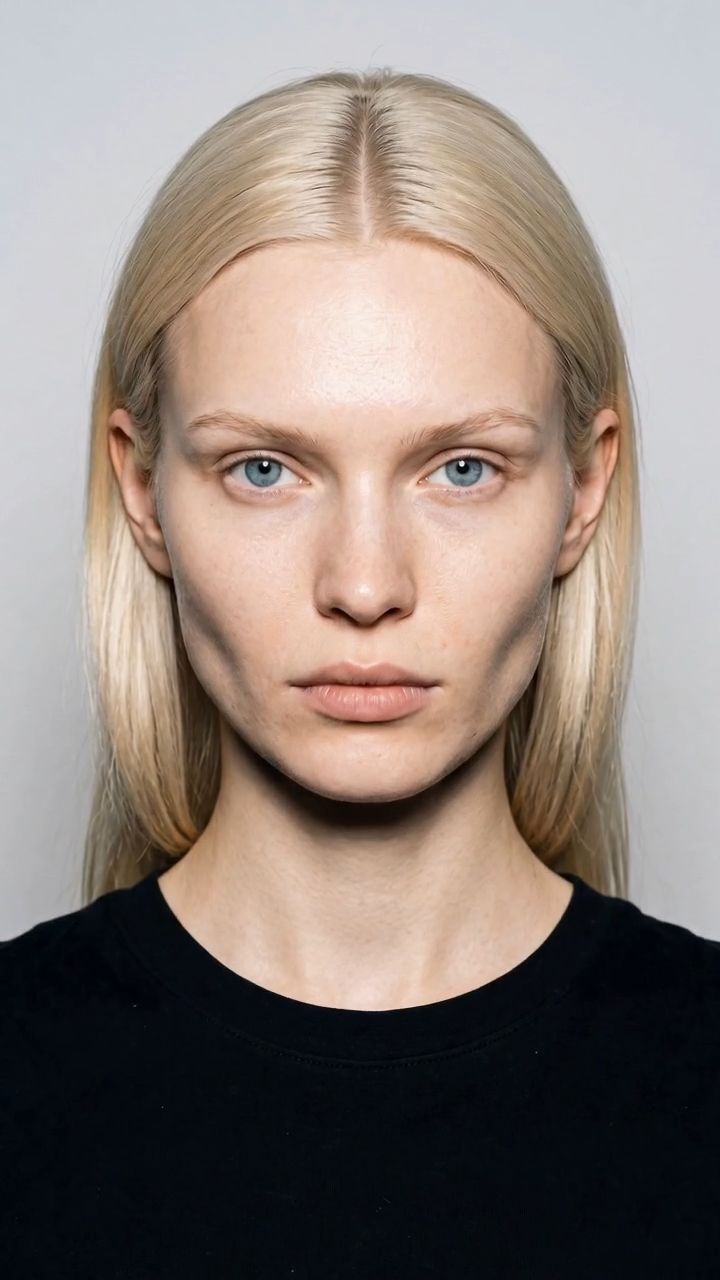
Beauty Still
Editorial beauty product visual
A premium editorial-style still that fits Seedream's strength in polished, commercially presentable image outputs with clean material rendering.
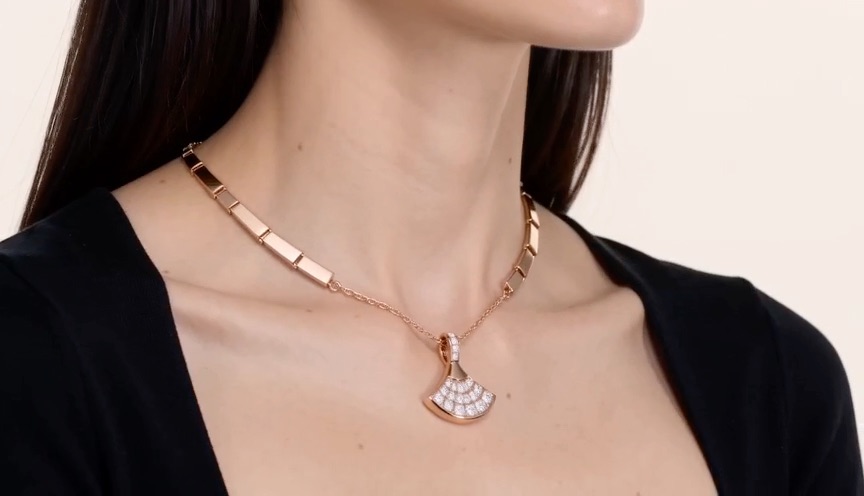
Composition Reference
Jewelry product display setup
A composition-led product setup that matches Seedream's stronger multi-image and layout-aware visual generation workflows.
Available Endpoints
Start building with the Seedream 4.5 API
Multiple endpoints for text-to-video, image-to-video, fast preview flows, and async job retrieval. This section is laid out more like a product catalog than raw docs so users can scan what to use first.
Endpoint
Generate
/v1/image/seedream-4.5/generate
Generate a new image from a prompt with commercial-style quality, richer detail retention, and stronger visual polish.
Best for: Best for brand visuals, beauty product stills, packaging concepts, premium ad creative, and reference-light concept generation.
Endpoint
Edit
/v1/image/seedream-4.5/edit
Refine an existing image while preserving more subject detail, lighting continuity, and color tone consistency.
Best for: Useful for scene cleanup, product revisions, packaging updates, portrait polishing, and preserve-and-change commercial workflows.
Endpoint
Compose
/v1/image/seedream-4.5/compose
Combine multiple reference images into one output with stronger composition logic, consistency, and visual coherence.
Best for: Best for campaign compositions, style-reference blending, product placement, or image systems built from several source inputs.
Endpoint
Job Status
/v1/jobs/{jobId}
Track whether a generation, edit, or composition job is queued, running, completed, or failed in ImaRouter's async image flow.
Best for: Needed for production applications that submit asynchronous image jobs and then retrieve final output after completion.
Get started today
Ready to integrate Seedream 4.5?
Try the API directly in the console, or reach out to the team for onboarding, pricing, and enterprise setup.
API Documentation
How to get access to Seedream 4.5 API
Seedream 4.5 fits the same async image workflow pattern as the rest of the ImaRouter image stack: submit the request, keep the job id, then fetch the result once the image is complete.
const apiKey = process.env.IMAROUTER_API_KEY;

async function createSeedreamVisual() {
  const createResponse = await fetch("https://api.imarouter.com/v1/image/seedream-4.5/generate", {
    method: "POST",
    headers: {
      "Authorization": `Bearer ${apiKey}`,
      "Content-Type": "application/json"
    },
    body: JSON.stringify({
      prompt: "A premium skincare bottle on glossy black stone, soft violet rim light, delicate mist, crisp packaging typography, luxury campaign composition, and polished commercial reflections",
      imageSize: "portrait_4_3",
      quality: "high",
      numImages: 1,
      outputFormat: "png"
    })
  });

  const job = await createResponse.json();

  let status = "queued";
  while (status !== "completed") {
    await new Promise((resolve) => setTimeout(resolve, 3000));

    const statusResponse = await fetch(`https://api.imarouter.com/v1/jobs/${job.id}`, {
      headers: {
        "Authorization": `Bearer ${apiKey}`
      }
    });

    const jobState = await statusResponse.json();
    status = jobState.status;

    if (status === "failed") {
      throw new Error(jobState.error ?? "Seedream 4.5 generation failed");
    }

    if (status === "completed") {
      return jobState.output[0].url;
    }
  }
}
Async flow
- 1
Choose whether the request is a new generation, a consistency-sensitive edit, or a multi-image composition.
- 2
Submit the prompt together with any source image URLs or reference images and keep the returned job id.
- 3
Poll the job endpoint until the image reaches completed or failed state.
- 4
Read the final output URL and push the approved visual into your own campaign, commerce, or publishing workflow.
What Makes It Different
What makes the Seedream 4.5 API different
This section is laid out to read more like a product narrative than a feature list. Each row shows a capability, why it matters, and what that looks like in a real workflow.
Stronger editing consistency
That makes it more useful for teams that need revisions and transformations without losing the fidelity of the original asset.
Capability
Stronger editing consistency
Seedream 4.5 is positioned as a major step up over Seedream 4.0 in editing consistency, especially when preserving subject details, lighting direction, and scene tone.
That makes it more useful for teams that need revisions and transformations without losing the fidelity of the original asset.
Example scenario
A campaign team updates packaging, props, or styling while keeping the product silhouette, material finish, and scene lighting intact.
Capability
Portrait refinement
The model improves portrait refinement, making it more suitable for beauty, creator, and fashion-oriented imagery where face quality matters under review.
Teams can use it for skincare campaigns, creator stills, social ads, and premium portrait-led product visuals.
Example scenario
A beauty brand rerenders a hero still with cleaner skin detail, more believable eye light, and stronger premium polish.
Portrait refinement
Teams can use it for skincare campaigns, creator stills, social ads, and premium portrait-led product visuals.
Sharper small-text rendering
This is especially useful for product labels, beauty packaging, promo stills, and educational or commerce-facing layouts.
Capability
Sharper small-text rendering
Seedream 4.5 improves small-text rendering, which is critical when packaging copy, interface-like labels, ingredient callouts, or campaign text need to survive generation.
This is especially useful for product labels, beauty packaging, promo stills, and educational or commerce-facing layouts.
Example scenario
A brand team generates packaging mockups and wants ingredient labels or product names to remain readable without rebuilding the layout manually.
Capability
More capable multi-image composition
Multi-image composition is described as significantly strengthened, making Seedream 4.5 more practical for reference-heavy visual workflows.
You can combine style references, product shots, scene context, and subject imagery into one more coherent output.
Example scenario
A commerce workflow merges a clean packshot, a background scene, and a lighting reference into a polished catalog-ready ad visual.
More capable multi-image composition
You can combine style references, product shots, scene context, and subject imagery into one more coherent output.
Unified API Platform
Two API tiers for different use cases
Pick the right balance of quality, speed, and cost for your workflow. The section stays data-driven, but the presentation is closer to a clean product comparison table.
| Feature | Standard generationRecommended | Consistency-sensitive edit | Reference composition |
|---|---|---|---|
| Best for | Prompt-led commercial image creation | Preserve-and-change workflows | Multi-image commercial workflows |
| Speed | Balanced | Moderate | Moderate |
| Quality | Strong aesthetics and polished visuals | Optimized for stronger detail retention | Best when several references shape one output |
| Cost | $0.04 / image | $0.04 / image equivalent | $0.04 / image equivalent |
| Recommended use | Brand visuals, campaign stills, product shots, and polished first-pass concept creation | Refining portraits, preserving product details, relighting, and packaging-safe revisions | Product placement, style blending, scene composition, and campaign systems that start from several inputs |
| API endpoints | /v1/image/seedream-4.5/generate | /v1/image/seedream-4.5/edit | /v1/image/seedream-4.5/compose |
Use Cases
Industries using the Seedream 4.5 API
This section keeps the same reusable data model, but the presentation is closer to a grid of industry cards instead of long narrative boxes.
Brand teams, agencies, and creative ops
Beauty and skincare campaign stills
Generate polished portrait-led product imagery with stronger facial refinement, premium lighting, and cleaner packaging presentation.
Seedream 4.5 is a stronger fit when portrait quality and premium commercial polish matter in the same frame.
Merchandising teams and product marketers
Packaging and label visualization
Prototype bottles, cosmetics, product cards, and packaging visuals where small copy and clean material rendering both matter.
Improved small-text rendering makes it more practical for label-heavy commercial assets than generic image models.
Creative ops and design systems teams
Consistency-focused image revisions
Revise approved campaign assets while preserving core subject details, scene lighting, and color tone rather than rebuilding from scratch.
Editing consistency is one of the model's clearest improvements and maps directly to production revision workflows.
Commerce teams and visual production pipelines
Reference-heavy commercial composition
Blend product images, scene references, and style direction into one controlled output for ads, PDP stills, and premium commerce visuals.
Stronger multi-image composition makes it easier to operationalize reference-led visual creation instead of depending on one-prompt generation alone.
Performance marketers and creator tools
Creator and portrait-led ad generation
Create portrait-forward ad stills, creator campaign visuals, and social-first image outputs with cleaner refinement and scene consistency.
Portrait refinement matters most in ad surfaces where the face is the conversion anchor and small rendering flaws break trust quickly.
Agencies and in-house design teams
Iterative commercial art direction
Use one model path for initial visual direction, then push the same asset through edits and compositions as the campaign sharpens.
The model is useful when the work is not only generation, but also revision, refinement, and compositional iteration over time.
Examples
Seedream 4.5 API examples
This section supports future video or image previews, but it also renders cleanly from prompt-only data. That keeps the template reusable even when a page launches before media assets are ready.
Media coming soon
This example will be updated with a visual preview.
Premium skincare hero still
Commercial product generation
A prompt like this is useful when you need clean material rendering, luxury atmosphere, and small packaging text that stays believable.
A premium skincare bottle on glossy black stone, soft violet rim light, realistic condensation, clean serif packaging text, subtle mist, and a luxury editorial campaign finish.
Media coming soon
This example will be updated with a visual preview.
Portrait refinement edit
Consistency-led edit
This is the kind of edit where Seedream 4.5's consistency improvements matter more than raw generation speed.
Preserve the model pose and styling, refine the skin texture naturally, improve eye detail, keep the lighting direction intact, and make the cosmetic packaging text cleaner without changing the composition.
Media coming soon
This example will be updated with a visual preview.
Jewelry product composition
Multi-image composition
A reference-heavy visual workflow where composition quality and coherence matter more than one-shot prompt generation alone.
Blend the jewelry product from image 2 into the pedestal scene from image 1, keep the reflections premium, preserve stone texture realism, and maintain a clean luxury campaign composition.
Media coming soon
This example will be updated with a visual preview.
Localized packaging still
Small-text rendering
A useful pattern when packaging copy and readability are part of the asset instead of an afterthought.
Generate a beauty packaging still for a Korean skincare serum with readable product label text, ingredient callouts, and clean studio lighting while keeping the scene premium and minimal.
How To Use This API
How to use Seedream 4.5 API
This quick-start walkthrough is written to rank for integration-style searches while staying concise enough for busy developers and operators.
- 1
Create your ImaRouter account
Set up your ImaRouter account so you can access the playground, dashboard, and API credentials from one place.
- 2
Choose generate, edit, or compose mode
Use generate for net-new visuals, edit when detail preservation matters, and compose when several references need to resolve into one output.
- 3
Write consistency-aware prompts
Be explicit about what must remain unchanged, especially when preserving subject detail, lighting tone, label readability, or commercial polish.
- 4
Submit the request and keep the job id
Store the returned job id and treat the image workflow as asynchronous, especially when integrating into production campaign or commerce systems.
- 5
Review output and rerun selectively
Use the first result to validate composition, text, portrait quality, and consistency, then rerun targeted variations instead of restarting from a vague prompt.
FAQ
Frequently asked questions about Seedream 4.5 API
FAQs stay compact and skimmable here. The content is still data-driven for SEO, but the layout is cleaner and less visually heavy.
What is Seedream 4.5 API?
It is ImaRouter's programmable interface for ByteDance's Seedream 4.5 image model, designed for high-fidelity image generation, stronger editing consistency, portrait refinement, small-text rendering, and richer multi-image composition.
What does Seedream 4.5 improve over Seedream 4.0?
The model description highlights stronger editing consistency, better preservation of subject detail, lighting and color tone, sharper portrait refinement, better small-text rendering, and significantly improved multi-image composition.
Is Seedream 4.5 better for generation or editing?
It is useful for both, but one of its clearest differentiators is that consistency-sensitive editing and reference-driven workflows are stronger than in prior versions.
What kinds of teams should use Seedream 4.5?
It fits beauty, fashion, packaging, premium commerce, and creative ops teams that need quality-first image output with stronger subject preservation and better commercial polish.
Does Seedream 4.5 handle small text better?
Yes. The referenced model description explicitly calls out improved small-text rendering, which makes the model more practical for labels, packaging, and commercial stills with dense visual copy.
How much does Seedream 4.5 cost?
The referenced public description lists pricing at $0.04 per output image regardless of size.
Why use ImaRouter for Seedream 4.5 instead of wiring provider-specific image routes?
It gives you one production-safe integration pattern for generation, edits, and compositions while keeping async job handling, API credentials, and future routed expansion under one platform.
Can Seedream 4.5 support multi-image commercial workflows?
Yes. Multi-image composition is described as significantly strengthened, which is one of the model's clearest advantages for reference-heavy commercial generation pipelines.
Model Directory
Browse the full model market before you choose your route.
Use the `/models` catalog to scan providers, modalities, reasoning support, context windows, and pricing metadata from a local OpenRouter snapshot. It is the fastest way to compare what exists before you decide which models should be prioritized on ImaRouter.
Get Started
Validate Seedream 4.5 on ImaRouter, then move the same image workflow into production
Use the playground to validate premium generation, consistency-led edits, and reference compositions, then move the same pattern into production with ImaRouter image endpoints and async jobs. Use one API surface for 80+ models across five modalities, with transparent routing, automatic failover, and fast new-model onboarding.